
UX/UI Bootcamp for Career Changers: Timeline, Portfolio, and First Job Strategy
Updated on January 28, 2026 14 minutes read
Switching careers into UX/UI can feel exciting and overwhelming at the same time. You may be drawn to creative work and better opportunities, but unsure what "job-ready" really means. Most career changers do not fail because they are not talented. They fail because the path feels vague, which slows progress.
If you are balancing a job, family, or other responsibilities, you need realism more than hype. You need to know how long it takes, what to build first, and how to avoid wasting months on the wrong things. You also need a portfolio strategy that matches how hiring teams actually review junior candidates.
In this article, you will get a practical UX/UI bootcamp timeline, week-by-week focus areas, and clear deliverables. You will learn how to build a portfolio that tells a strong story, not just a set of pretty screens. You will also get a step-by-step plan to move from "learning" to "interviewing" without burning out.
What a UX/UI bootcamp is designed to do
A UX/UI bootcamp is meant to compress the learning curve into a structured, focused experience. Instead of jumping between random tutorials, you follow a curriculum with deadlines and feedback. You practice industry workflows, build projects, and learn how to present decisions clearly.
A strong bootcamp not only teaches tools like Figma. It teaches how to think: how to define problems, evaluate trade-offs, and communicate design rationale. It also helps you build habits such as documenting decisions, iterating on feedback, and designing for users. These habits are what hiring teams look for when they say "experience."
At the same time, a bootcamp is not a guaranteed job offer. It is a fast, guided learning environment that still requires consistent practice and follow-through. Your results depend on how well you complete projects, capture your process, and run a smart job search.
UX vs UI vs Product Design (quick clarity for your job search)
UX (User Experience) focuses on solving user problems with research and structure. You will work on flows, information architecture, usability, and validating decisions through testing. UX is about making the product easier, clearer, and more effective for real people.
UI (User Interface) focuses on visual clarity and interface consistency. You will work on typography, spacing, layout, components, and polished screen design. UI is about making the product feel intuitive and trustworthy at a glance.
Product Design often combines UX and UI under one role. In many companies, "Product Designer" means you can do research, wireframes, and visual design. For career changers, applying to junior product design roles can be smart if your portfolio is balanced.
Choosing the right bootcamp timeline (full-time vs part-time)
Most bootcamps come in a full-time or part-time format. The best option depends on your schedule, energy, and how much time you can protect weekly. A fast program can be great, but not if it overwhelms you and causes inconsistency.
Full-time bootcamps typically run around 8 to 12 weeks. They often require 30 to 45 hours per week of classes, assignments, and project work. This format works best if you can treat it like a full-time commitment for a short period.
Part-time bootcamps often run around 12 to 24 weeks. They usually require 10 to 20 hours per week, often evenings and weekends. This format works well if you are working full-time or have other fixed responsibilities.
A simple rule helps most people decide. If you can reliably commit 30+ hours weekly andreduce other commitments, full-time can work. If you are keeping your job, part-time is typically the more realistic option. Either way, plan for a second timeline after bootcamp: the job search phase.
Before you start: a 1 to 2 week setup that makes everything easier
You do not need to prepare perfectly before a boot camp, but a small setup phase can reduce stress, speed up your learning, and improve your portfolio quality. Career changers often underestimate how much small habits compound over 12 to 20 weeks.
First, set a weekly schedule you can repeat. Pick specific days and times, and treat them like appointments with your future career. Then define a minimum commitment for busy weeks, so you never fully fall off.
Second, choose a portfolio direction so your projects do not feel random. Decide if you want to be UX-leaning, UI-leaning, or balanced for your first portfolio version. This does not lock you in forever, but it helps you pick projects and tell a coherent story.
Third, get comfortable with basic tools and workflows. You do not need mastery, but you should know how to create frames, build components, and prototype. Tool confidence reduces friction and lets you focus on problem-solving.
The UX/UI bootcamp roadmap (week-by-week, with realistic deliverables)
Bootcamps vary in detail, but most follow the same learning arc. You start with fundamentals, move into research and structure, then build polished interfaces and iterate. If you know what each phase is for, you will feel less anxious and more in control.
Below is a practical roadmap you can use even if your program labels weeks differently. If your bootcamp is longer, treat these as phases and expand each by an extra week or two. If your bootcamp is shorter, focus on doing fewer things with higher quality.
Weeks 1 to 2: Foundations, design thinking, and "how to s.ee"
In the first phase, you learn the language of UX/UI and the basics of good design decisions. You will cover usability principles, accessibility basics, visual hierarchy, spacing, and layout fundamentals. You will also learn how to define a problem and explain your choices.
A common trap is trying to design beautiful screens immediately. Instead, focus on clarity: readable type, consistent spacing, and simple patterns. Learn to critique your own work using rules, not feelings.
Deliverables to aim for include a few practice UI exercises, plus a simple problem statement for a project. Also, start a "Design Decisions" doc where you write short notes about why you chose certain layouts. These notes become portfolio material later.
Weeks 3 to 4: Research, insights, and problem definition
This phase shifts your work from aesthetics to evidence. You will learn research basics like interviews, quick surveys, competitor reviews, and observation. You will practice turning messy data into themes and themes into user needs.
Career changers often worry that they do not have access to "real users." In bootcamp projects, small samples can still be meaningful if you are transparent and structured. Even a handful of interviews can reveal patterns for everyday workflows.
Deliverables to aim for include research notes, insight themes, a problem statement, and user flows. Capture screenshots of theme clustering and save early drafts of flows. Iteration is portfolio gold, and employers want to see how you got there.
Weeks 5 to 6: Wireframes, structure, and prototyping
Now you turn insights into structure. You will build wireframes to explore layouts without getting distracted by colors and fonts. You will map screens to flows and create a clickable prototype for quick testing.
Wireframes do not need to be impressive. They need to be clear. Focus on content hierarchy, navigation logic, and making tasks easy to complete. Label screens and flows cleanly so your work is easy for others to understand.
Deliverables to aim for include low- to mid-fidelity wireframes, a clickable prototype, and flow diagrams. Save multiple versions and write short rationale notes like, "We placed X here because users needed Y."
Weeks 7 to 8: UI design, visual direction, and design systems
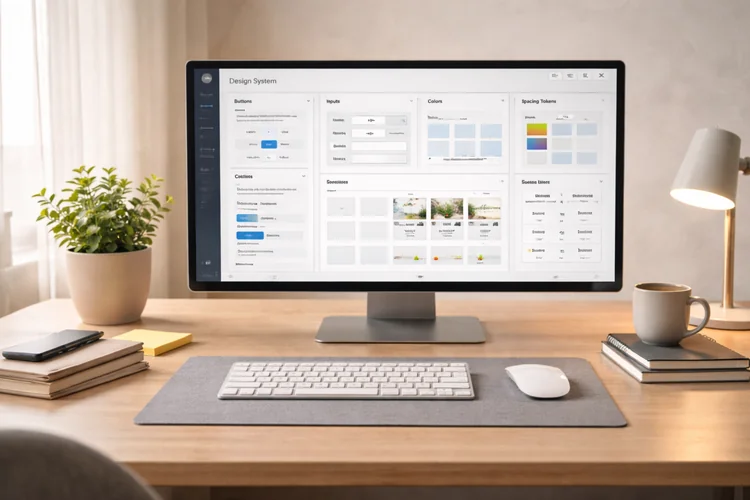
This is where your work starts to look hireable at a glance. You will choose typography, refine spacing, build components, and create a consistent visual language. You will also learn how design systems make products faster to build and easier to maintain.
Many career changers over-focus on trendy visuals. A more reliable strategy is to prioritize clarity: readable text, strong contrast, and predictable patterns. Clean, accessible UI is often more impressive than flashy effects.
Deliverables to aim for include high-fidelity screens, a basic component library, and a refined prototype. Add annotations for complex states like error messages, empty states, and loading. These details show you think beyond the happy path.
Weeks 9 to 10: Usability testing, iteration, and decision-making
Testing is where your project becomes believable. You will run usability tests, observe friction, and learn how users actually behave. Then you will prioritize fixes and refine your design based on evidence.
You do not need a perfect lab setup. Simple task-based testing works well: ask users to complete a goal and narrate their thinking. Record what went wrong and what caused hesitation, then translate those observations into clear action items.
Deliverables to aim for include a testing summary, a prioritized issue list, and revised screens. Include before-and-after comparisons for key improvements and connect each change to user behavior.
Weeks 11 to 12: Capstone, presentation skills, and portfolio packaging
In this final phase, your goal is professional output. You will wrap your capstone project with a clear narrative, polished screens, and documented decisions. You will also practice presenting your work, because presentation is often the real hiring filter.
A strong capstone is defined by scope control. Choose a problem you can solve well in the time you have, rather than trying to redesign an entire product. A focused scope produces better depth, testing, and reasoning.
Deliverables to aim for include a finished case study, a portfolio presentation deck, and a clean final prototype. Practice a 7 to 10-minute walkthrough until it feels natural. This single habit can dramatically improve interview performance.
Portfolio strategy for career changers (what hiring teams actually want)
Your portfolio is not a museum of screens. It is a decision tool that helps employers answer, "Can this person solve product problems responsibly?" Most hiring teams scan, so clarity and structure matter as much as design quality.
For entry-level roles, aim for 2 to 3 strong case studies. Too many projects often createthe opposite effect, because reviewers assume shallow work. One excellent end-to-end case A study can outperform five weak ones.
A strong mix often includes one case study that shows research, flows, wireframes, testing, and iteration. Include one UI-heavy project that shows systems thinking, components, and polished visuals. Add one smaller project that proves you can solve a focused problem quickly.
The case study format that gets read (and remembered)
Hiring managers skim first, then decide what to read. Make your case studies scannable with clear headings and short sections. A clean structure helps busy reviewers quickly find what they care about, and it makes your presentation smoother during interviews.
Use a simple narrative pattern throughout your portfolio. Start with the problem and the user, then show your process, then show the outcome and reflection. Use visuals to support the story, and keep paragraphs short and focused.
A strong case study typically includes: problem and context, your role, research and insights, flows and wireframes, UI direction, testing and iteration, and next steps. Add constraints when relevant, because constraints make decisions feel realistic.
What to show if you do not have real client work yet
You can use hypothetical projects if you are honest and your process is strong. A well-reasoned redesign with clear evidence and iteration can still impress. What matters is your thinking and your ability to communicate it clearly.
You can also create credibility through small real-world projects. Volunteer for a community group, help a local business improve a simple flow, or collaborate with a developer. Keep the scope tight and document outcomes, even if they are qualitative.
Portfolio mistakes that quietly block interviews
Many portfolios fail for predictable reasons. They show only final UI screens with no explanation of decisions or user problems. They include long paragraphs without headings, which makes them hard to skim. Or they do not clearly say what the designer actually did.
Avoid vague claims like "users loved it" without evidence. Instead, show what users struggled with and what you changed as a result. Also, avoid inconsistent spacing, typography, and components. Consistency is one of the fastest credibility signals in UI work.
Build your portfolio while you study (so you are not stuck afterward)

The easiest portfolio to finish is the one you document in real time. If you wait until graduation, you will forget decisions, lose artifacts, and feel overwhelmed. A little documentation each week saves you hours later and keeps your case study narrative accurate.
Create a 30-minute weekly portfolio habit. At the end of each week, write what you built, what changed, and what you learned. Add 2 to 3 screenshots: a flow, a wireframe, a UI iteration, or a testing note. Over time, this becomes your case study with minimal extra effort.
Save messy artifacts, not just polished screens. Keep research notes, flow drafts, early wireframes, and rejected UI explorations. These pieces prove you can explore options and improve based on feedback, which is exactly what junior roles need you to demonstrate.
First job strategy: a clear plan from graduate to hired
Finishing a UX/UI bootcamp is a major milestone. But job searching is a separate project with different skills: positioning, outreach, and interview practice. If you treat it like a structured sprint, it becomes manageable and far less emotionally draining.
Start by choosing 2 to 3 job titles and committing for 6 to 8 weeks. If you apply to everything, your portfolio and messaging become generic. Focus creates stronger applications and makes your networking clearer.
A practical target set could include Junior UX Designer, Junior UI Designer, and Junior Product Designer. You can also include internships or contract roles if they are paid and realistic stepping stones. Some career changers land faster by taking a first role that builds credibility quickly.
A weekly job-search routine that avoids burnout
A simple weekly system keeps you moving forward without exhausting yourself. Split your week into different types of work so you do not do applications only every day. Balance is what makes the job search sustainable.
A realistic rhythm for many career changers is: two days for tailored applications, one day for networking, one day for portfolio updates, and one day for interview prep. If you can only do three days per week, keep one for applications, one for networking, and one for portfolio or interviews.
Track your work like a designer would. Keep a spreadsheet with role, company, date applied, follow-up date, and outcome. This reduces anxiety because you can see progress and patterns, and it helps you improve your approach over time.
How to apply in a way that gets responses
Most junior applications fail because they are too generic. Your goal is to make it obvious that your portfolio matches the role's needs. That means tailoring the top of your CV and choosing the right case study to highlight.
If the role is UX-heavy, highlight research, flows, testing, and iteration. If the role is UI-heavy, highlight design systems, components, and polished interface work. Then link directly to the most relevant case study.
When possible, add a short cover note. Mention why you are interested in the product, plus one relevant strength from your background. Career changers often have valuable domain experience, and that can create a strong fit.
Networking that feels normal (and actually works)
Networking is not begging for referrals. It is building relationships and context so people understand what you are aiming for. For career changers, networking often creates the first real opportunities and warm introductions.
Start with informational chats, not job asks. Reach out to designers whose work you respect and ask for 10 to 15 minutes of advice. Keep it specific and respectful, and do not ask them to review your whole portfolio right away.
Share your progress publicly in small ways. Post an iteration you made after user testing or a lesson you learned about accessibility. This builds credibility and makes it easier for others to support you.
Creating experience when "experience required" blocks you
If job listings demand experience you do not have, create proof instead of waiting. Small real-world projects can be enough if they are documented clearly. A focused volunteer redesign, a freelance landing page, or a community app flow improvement can work.
You can also do a structured redesign case study of a real product. Choose one flow, like onboarding, account settings, or checkout, and improve it with clear reasoning. Add lightweight user validation by testing with a few people from your network.
Interview readiness: what to practice so you feel confident
Most UX/UI interviews are predictable once you understand the format. You will typically present your portfolio, answer product thinking questions, and discuss collaboration. Some companies add a design challenge, either take-home or live.
Your portfolio presentation is the highest-impact skill. Practice a 7 to 10-minute walkthrough of one case study until it feels conversational. Focus on the problem, users, key decisions, iteration, and outcomes.
For design challenges, show structure and trade-offs. Clarify the problem, define assumptions, sketch a simple flow, then propose wireframes. Explain priorities and constraints like time limits or edge cases.
For behavioral questions, your career-change story is an asset. Highlight moments where you handled feedback, worked with stakeholders, and solved ambiguous problems. Those skills translate directly to product teams.
How Code Labs Academy can support a career-changer journey
When you are changing careers, the biggest risks are confusion, inconsistency, and lack of feedback. A structured program reduces those risks by guiding your learning and keeping you accountable. It also helps you build portfolio projects that reflect industry workflows.
Code Labs Academy offers online tech bootcamps designed around practical, job-ready skills. In a UX/UI Design Bootcamp, project-based learning helps you build portfolio case studies as you learn. Career-focused support through the Career Services Center can help you improve faster and avoid common mistakes.
If you are exploring next steps, use a low-pressure action to move forward. You can explore the UX/UI bootcamp details, Schedule a call with an advisor, or Apply online. The best program is the one you can complete consistently while producing strong portfolio outcomes.
Conclusion: Your timeline becomes doable when your plan is specific
A career change into UX/UI does not require a perfect background or a creative gift. It requires a clear learning plan, consistent practice, and a portfolio that shows how you think. When you focus on process, iteration, and communication, your work becomes credible quickly.
Use the bootcamp timeline as phases: fundamentals, research, structure, UI polish, testing, and presentation. Build your portfolio as you go, saving artifacts and documenting decisions every week. Then run a job search system that includes tailored applications, networking, and interview practice.